

Keyword research for a blog comes down to five moves. List the problems your readers have. Turn them into search phrases. Check what Google already shows for each phrase. Pick one primary keyword per post. Then track what happens and adjust. You can do all of it with free tools and a spreadsheet. Paid tools save time later, but they are not required to start.
This guide walks through the process in the order we use it on a WordPress blog, with a worked example, a selection checklist and a simple way to measure results.
TL;DR
-
Start from your readers’ problems, not from a tool. Write the questions they ask, then convert them into search phrases.
-
Free sources are enough: Google autocomplete, People Also Ask, related searches and Google Keyword Planner.
-
Judge each keyword on three things together: demand, search intent and relevance to your blog. Volume alone misleads.
-
Give each post one primary keyword and cover close variations inside that same post.
-
Review results every few months and update posts instead of publishing near-duplicates.
Table of Contents
Start with your readers, not a keyword tool
Most weak blog keyword lists start with a tool and a broad word like “coffee” or “hosting”. The better starting point is a plain document with three lists:
-
Topics your blog covers. Five to ten themes, for example “WordPress speed”, “choosing a theme”, “email setup”.
-
Problems your readers are trying to solve. Write them as the reader would say them: “my site loads slowly after installing plugins”.
-
Questions you or your readers have already asked. Collect questions from comments, emails, forum threads and social replies. Group similar questions into themes before using keyword tools.
This step also protects you from a common mistake: chasing a keyword that is popular but has nothing to do with what your blog can credibly teach. If you are still deciding what the blog is about, our beginner’s guide to building a website explains how SEO, search results pages and site structure fit together.
Find keyword ideas for free
Once you have your problem list, expand it. Four free sources cover most of what a new blog needs.
Google autocomplete
Start typing a phrase into Google and review the autocomplete suggestions. They can reveal related searches and ways people phrase a topic, but they do not provide search-volume or SEO-difficulty data. Add a letter after your phrase (for example, “wordpress backup a”, “wordpress backup b”) to find more suggestions. Copy the useful ideas into your keyword list.
People Also Ask and related searches
Search for your seed phrase and review the results. The People Also Ask box shows questions related to your query, while Related Searches at the bottom show other connected queries. Neither feature provides search-volume figures. Use these suggestions to identify possible subtopics or FAQ entries, and create separate posts only when the search intent is genuinely different.
Google Keyword Planner
Google Keyword Planner is a free tool built for advertisers. It generates keyword ideas, shows search-volume estimates and trends, and provides performance forecasts. Because it is designed for paid advertising campaigns, treat average monthly searches as estimates of search demand, not predictions of the organic visits your blog will receive. Its competition metric reflects advertiser competition, not how difficult it is to rank organically in Google.
Your own site search and comments
If your blog has a search box, the terms visitors enter can reveal what they could not find. On WordPress, a plugin that logs internal searches can turn this information into a useful source of keyword ideas. The available data depends on the plugin you use.
A worked example
Suppose you run a WordPress blog about hosting for beginners. Your problem list includes “I do not know which hosting type I need”. Here is how one idea moves through the process.
| Step | What you do | Result |
|---|---|---|
| Seed phrase | “wordpress hosting for beginners” | A broad topic with several possible search intents |
| Autocomplete | Add letters and review suggestions | Ideas about price, speed and hosting types |
| People Also Ask | Review related questions | Questions such as “Do I need hosting for a blog?” and “What is shared hosting?” |
| Check results | Examine the top-ranking pages | Identify their content formats, search intent and unanswered questions |
| Decision | Group related questions by search intent | Create one useful guide for related questions, and separate articles only for genuinely different search needs |
The lesson is that a broad seed phrase is a starting point, not necessarily the best primary keyword for one post. More specific phrases can help you identify a clear reader need, but they are not automatically easier to rank for. Examine search intent, relevance and the existing results before choosing your target.
Judge each keyword on demand, intent and relevance
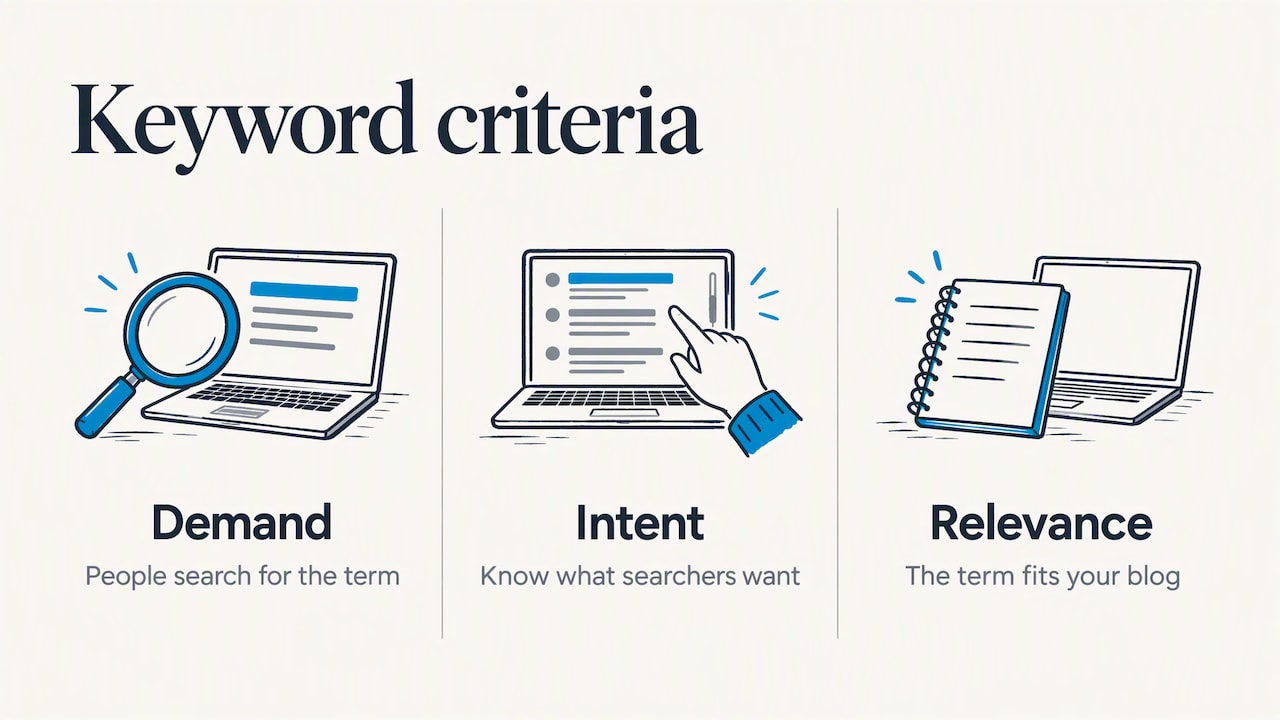
A keyword is worth targeting when three things line up: people search for it, you know what they want when they search, and the term fits your blog. Dropping any one of the three produces posts that get no traffic or traffic that does nothing for you.
Demand
Monthly search volume and seasonality provide estimates of how many people look for a term and when. Because these figures are approximate, use them as a guide rather than exact targets. For seasonal topics, plan to publish your article sufficiently in advance of the peak period, allowing time for indexing and ranking; the lead time needed depends on the topic and competition. Volume is a signal, not a goal. A phrase with 50 monthly searches that matches your blog perfectly can outperform one with 5,000 searches that only loosely fits.
Intent
Intent is what the searcher wants to accomplish. Search Engine Land’s Dale Bertrand explains the difference between relevance and search intent: relevance is how closely a term matches what you offer, while intent describes the goal behind the query. Use search intent as a filter when deciding whether your content matches what people expect to find.
Search the keyword in a private or incognito window to reduce the influence of your search history. However, results can still vary by location, language and device. Check the results for the location and audience you intend to target.
-
Format: list posts, step-by-step guides, product pages, videos, forum threads?
-
Angle: beginner explainers, expert deep dives, comparisons?
-
Structure and length: how many sections, what depth?
-
Gaps: what do the top pages skip that a reader would want?
If the first page is dominated by product category pages but you plan to write a general explainer, your content format may not match the search intent. Choose a format that better answers the searcher’s needs, or consider targeting a different keyword.
Relevance and your ability to rank
Ask two blunt questions. Does this topic fit the rest of your blog? Could you write something here that is at least as useful as the pages already ranking? Google’s own guidance on people-first content asks whether a page offers original information, a substantial description of the topic and value beyond what other sources already say. Those are fair tests for a keyword decision too. If you cannot offer useful, relevant and trustworthy information on the subject, choose a different topic or build the necessary knowledge before publishing.
Spot realistic competition without paid tools
Paid platforms give keyword difficulty scores, and they are handy. Without one, read the first page by hand:
-
Types of websites: Are the results from large publishers, specialist websites, smaller blogs or forums? Consider their relevance and content quality, not just their size.
-
Search intent: Do the ranking pages closely match the keyword, or do they address a different question?
-
Freshness: Are the results outdated on a topic that changes frequently?
-
Content gaps: Are readers asking questions that the existing pages do not answer adequately? Forum and Q&A results can help reveal these questions.
Longer, more specific keywords can be useful starting points for newer blogs because they often reflect a clear reader need. For example, “best caching settings for a small WordPress blog” is more specific than “WordPress speed”. However, longer keywords are not automatically easier to rank for. Check their search intent, competition and relevance before choosing them. As your website develops topical coverage and earns relevant links, you can explore broader keywords.
Choose one primary keyword per post
Each post should have one clear primary keyword or topic, supported by closely related phrases and variations used naturally. Avoid creating separate posts for minor keyword variations when they satisfy the same search intent. Group related questions into one useful article when appropriate. Create separate articles when they address genuinely different search needs.
Before you commit to a new keyword, search your own site for it. If an older post already covers it:
-
Update the old post if it is outdated but on target.
-
Merge two thin posts into one stronger one, and redirect the removed URL to the survivor.
-
Pick a different angle only if the intent is truly different, for example “what is” versus “best”.
Use your primary keyword naturally in the title, main heading and introductory content. Include related phrases in relevant subheadings and throughout the article where they fit. A descriptive URL slug can also help readers understand the page. Avoid repeating exact-match keywords unnaturally or forcing them into every heading. A WordPress SEO plugin can help check basic on-page elements; our comparison of Rank Math and Yoast SEO explains how these tools handle focus keywords.
Build a simple keyword sheet
A spreadsheet is enough. Use one row per keyword idea with these columns:
| Column | What to record |
|---|---|
| Keyword | The exact search phrase |
| Intent | Learn, compare, buy, or find a specific site |
| Search demand | Estimated monthly searches, data source, location and date checked |
| Competition | Observations about ranking pages, their relevance, quality and content gaps |
| Fit | A score from 1 to 5 for relevance to your blog |
| Target post | The URL, or “new” |
| Status | Idea, drafted, published or updated |
Prioritize relevance and search intent first, then compare search demand and competition. The sheet should help you make informed decisions rather than turn every search-volume figure into a target.
When AI tools help, and where to keep your own judgment
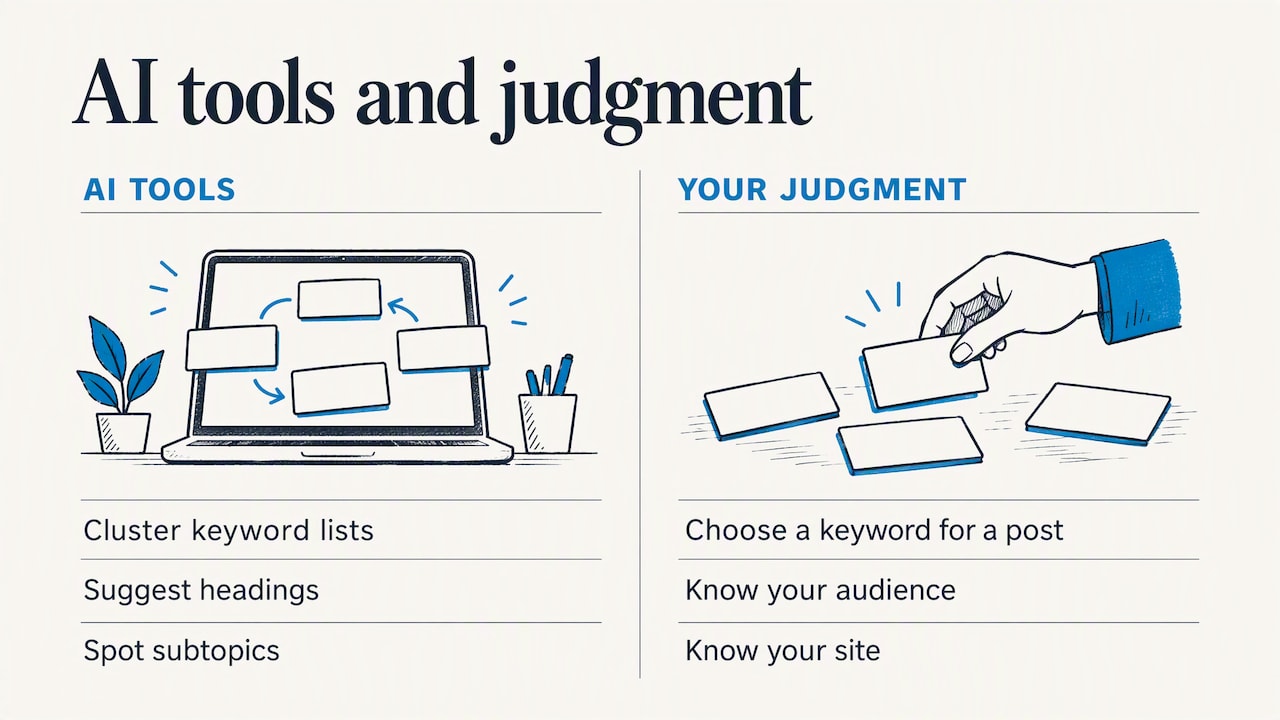
AI writing and SEO assistants can cluster keywords, suggest outlines and draft briefs from a seed phrase. They speed up the repetitive parts: grouping a long list, proposing headings, spotting subtopics. The decision of which keyword deserves a post still rests on the checks above, since you know your audience and your site. If you want to see how these tools behave in practice, we cover them in our guide to AI tools for bloggers, our Scalenut review and our tutorial on the Ahrefs AI Content Helper.
Treat keyword suggestions, search-volume estimates and difficulty scores from AI tools as starting points, and verify important opportunities using independent research and actual search results.
Our perspective
At TechFin2k, we believe keyword research should begin with the problems readers want to solve, not simply with the highest search-volume figures. Keyword tools are useful for discovering opportunities, but they cannot decide whether a topic is relevant to our website or whether an existing article already covers it.
We also believe that understanding search intent is essential before creating a new post. A keyword with modest search demand can be a valuable opportunity when it matches the audience and allows us to provide useful, practical information.
Our approach is to combine keyword research tools with manual examination of search results, existing website content and the needs of our readers. The objective is to publish useful articles that add value rather than create multiple pages targeting nearly identical queries.
Measure results and update your keyword strategy
Publishing an article is not the end of keyword research. Once a page has been indexed and has had enough time to collect search data, review its performance and identify opportunities for improvement.
Use Google Search Console’s Performance report to examine clicks, impressions, click-through rate (CTR) and average position. Analyse the results by page and query, and compare equivalent date ranges to identify meaningful changes.
Here are some useful ways to interpret the data:
-
Unexpected search queries: Check whether the queries generating impressions are relevant to the article. Add useful information when it addresses a genuine reader need.
-
High impressions but low clicks: Examine the average position, search intent, competing results and search features before changing the title or meta description.
-
Average position changes: Use this metric to identify trends rather than following fixed position targets. Compare results over time instead of reacting to individual fluctuations.
-
Pages receiving no impressions: Check indexing status, internal links, content relevance and search intent. A page may need technical corrections or better content, but not every page needs to rank.
-
Overlapping articles: Compare the queries and search intent of the affected pages. Consider updating or consolidating articles only when they serve substantially the same purpose and combining them would create a more useful resource.
Maintain a simple record of content changes, including the date, affected URL, reason for the change and what you plan to measure. Avoid repeatedly changing the same article without allowing enough time to evaluate its performance.
Traffic is only part of the picture. Consider what visitors do after arriving at your website, such as reading related articles, clicking affiliate links, subscribing or contacting you. A smaller amount of relevant traffic can be more valuable than a larger number of visitors who find little reason to engage.
Set up your WordPress blog to support the work
Good keyword research needs a website that is easy to navigate, technically accessible to search engines and useful to visitors. Choose reliable hosting that suits your website’s needs; our Best Blog Hosting Providers guide compares hosting options. Use a lightweight theme with a responsive design, as explained in our guide to Free WordPress Themes. An SEO plugin such as Rank Math or Yoast can help manage page titles, meta descriptions and XML sitemaps. Use one SEO plugin for these functions and check that its settings are configured correctly.
Where to go next
Keyword research becomes more effective when combined with the right tools and practical website knowledge. Explore our AI Tools for Bloggers guide, SEO tutorials and hands-on software reviews to find resources that can support your blogging workflow.
FAQ
How many keywords should a blog post target?
A blog post should generally have one primary keyword or topic, supported by closely related search phrases and variations. Group keywords with the same search intent into one article. Create separate posts only when they address genuinely different search needs.
Can I do keyword research for a blog without paid tools?
Yes. Google Autocomplete, People Also Ask, Related Searches and Google Search Console can help discover keyword ideas and understand actual search queries. Google Keyword Planner can provide additional keyword suggestions and estimated search demand, although it requires Google Ads account setup. You can also examine search results manually to assess intent and competition. Paid SEO tools mainly provide additional data, analysis and convenience.
How do I find keywords for a WordPress blog?
Start by listing the topics your blog covers and the problems your readers want to solve. Use Google Autocomplete, People Also Ask, Related Searches and keyword research tools to discover relevant phrases. Check search intent, demand and competition before selecting a primary keyword. Review your existing articles to avoid creating duplicate content.
Is a high search volume always better?
No. Volume shows demand, but it says nothing about intent or fit. A specific phrase with modest volume that matches your blog and what searchers want often performs better for a new site than a broad term dominated by large publishers.
How often should I update my blog keywords?
Review your keyword strategy periodically using Google Search Console and other research tools. Check newly published articles after they have accumulated sufficient search data, and revisit existing posts when impressions, clicks or search intent change. Update outdated information, improve content where useful and consolidate overlapping pages only when they serve the same search intent.
Sources
-
Rethinking your keyword strategy: why optimizing for search intent matters (Search Engine Land)
-
Creating helpful, reliable, people-first content (Google Search Central)
Recommended
-
How to Choose a Domain Name in 2025: Complete SEO Guide for Bloggers & Startups
-
A Beginner’s Guide to Building a Website: Understanding SEO, SERP, and Key Elements
Written with BabyLoveGrowth to build website authority
Enjoying our content?
Make TechFin2K a preferred source on Google to see more of our content when it is relevant to you.
